



Product Details
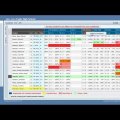
Aeries SIS is a California-focused student information system that manages enrollment, demographics, attendance, scheduling, courses, grades, transcripts, discipline, health information, programs, and state reporting. It serves as the operational student record used by district offices, schools, teachers, students, and families.
California districts use Aeries to support daily school operations and CALPADS reporting while exchanging rosters and records with learning, assessment, communication, nutrition, identity, and other systems. Districts should document which Aeries modules, portals, APIs, and third-party integrations are authoritative for each data domain.
Product Details
CedarExpert is an education data-integration platform from Cedar Labs that was designed to translate information among SIS, learning, identity, and other district applications. It provides a common data model over standards-based APIs, proprietary connections, and flat files so developers and district teams do not have to build a separate custom exchange for every system.
The platform's practical purpose is to move only the required student, staff, roster, and learning data to each destination while handling field mapping, transformation, validation, and complex district rules. Current public product information is limited, however, so districts should verify availability, support, ownership, and the connectors included in their implementation before treating CedarExpert as an actively marketed service.
Product Details
CPSI provides education data integration, validation, identity, warehouse, and reporting software for districts and state education agencies. Its xDStudio platform collects information from multiple operational systems, transforms and validates it, resolves identities, and places it into operational stores or longitudinal data marts for reporting and exchange.
For districts, the platform addresses the recurring work of moving student, staff, and organizational data among SIS, directories, state-reporting systems, and other applications without relying entirely on manual entry or disconnected batch scripts. CPSI supports several education data standards, but much of its public product material is dated, so current product packaging and California support should be verified.
Product Details
Instructure Elevate Data Sync is an education interoperability platform that moves roster, student, staff, course, and learning information between student information systems and other applications. It replaces separate vendor-by-vendor integrations with centrally managed connections that understand common education standards and proprietary SIS formats.
Districts and application providers use it to automate recurring synchronization, monitor errors, map local fields, and support two-way workflows such as grade passback. The product was formerly Kimono and is now part of the Instructure platform; current Instructure documentation and service-status reporting continue to identify Elevate Data Sync as an operational product.
Product Details
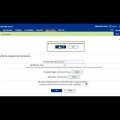
Follett Destiny Library Manager is a K–12 library management system for cataloging print and digital resources, circulating materials, managing patrons and holds, conducting inventory, and reporting on collection use and condition. Destiny Discover gives students and staff a searchable, age-appropriate entry point to library holdings and supported digital content.
District-level controls support shared cataloging, transfers, collection analysis, permissions, and reporting across schools. Follett also sells connected but distinct products for classroom libraries and non-library resources, so districts should document whether they use Library Manager alone or additional Destiny modules.
Product Details
HealthOffice Anywhere is a web-based electronic health record and school-nursing management system now associated with Frontline Education. District health teams use it to document student visits, medications, procedures, screenings, immunizations, care plans, and other health-office activity in one controlled record.
The platform is designed around school nursing workflows rather than a general clinical practice. Dashboards, templates, scheduled services, reports, role permissions, and student-data exchange help nurses coordinate care across campuses and give administrators a clearer picture of services and compliance.
Product Details
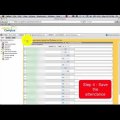
Infinite Campus is a comprehensive K–12 SIS for enrollment, demographics, scheduling, attendance, grades, transcripts, behavior, health, programs, fees, food service, portals, communication, and regulatory reporting. It serves districts and state or regional implementations from a shared student-data platform.
Districts use Campus as the operational system of record and may license additional learning, registration, payments, analytics, communication, and services. Agencies should document which modules are deployed, how state reporting is managed, and which APIs or standards-based exchanges feed other systems.
Product Details
PowerSchool SIS is a widely used K–12 student information system for enrollment, student and household records, attendance, scheduling, grades, transcripts, discipline, health, programs, portals, and regulatory reporting. It serves as a district’s central operational record and supplies student and roster information to many other applications.
Districts can add PowerSchool products for enrollment, special programs, analytics, communication, assessment, learning, and other functions, but those modules should not be assumed from the SIS listing alone. Agencies should document product editions, customizations, plugins, APIs, data exchanges, and ownership of state-reporting processes.
Product Details
Product Details
Tyler Versatrans is a K–12 student transportation suite for routing, boundary planning, student scheduling, stop assignment, fleet oversight, and family information. District transportation teams use it to build efficient routes while accounting for bell times, safety rules, student needs, equipment requirements, and operational constraints.
Connected Tyler transportation tools can add telematics, GPS, maintenance, driver information, mobile access, field trips, and parent-facing bus location or arrival information. Districts should preserve the current interoperability value while separately documenting actual SIS, identity, GPS, payment, and family-communication connections.