Netop Vision - Chromebooks (Now a part of Impero)
5
Product Details
- Website
- https://www.netop.com/vision/
- Overview
-
Netop Vision was a classroom-management product that enabled teachers to monitor student computers, guide web use, present content, communicate with learners, and intervene when students went off task. Chromebook support extended those classroom controls to school-managed ChromeOS devices.
Impero acquired Netop in 2021 and subsequently released Impero Classroom as its cloud-based classroom-management platform. Because current Impero materials no longer clearly position Vision for Chromebooks as the primary product, districts with this record should confirm whether they still run Vision, have migrated to Impero Classroom, or use another Impero product before the listing is renamed or consolidated.
- Features
-
Student screen monitoring
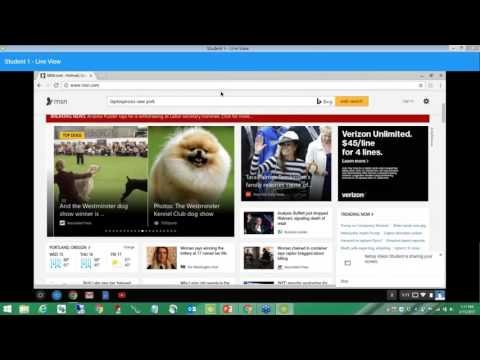
- Provided teachers with live visibility into student screens and browser activity during class.
- Helped educators identify students who were off task or needed assistance.
Classroom controls- Supported screen locking, website restrictions, browser controls, and other actions intended to redirect attention.
- Allowed teachers to apply controls to an individual learner, a group, or the class according to the installed version.
Instruction and communication- Enabled teachers to demonstrate material, launch resources, and communicate with students from the classroom console.
- Reduced the need to move between separate tools while guiding device-based work.
Current Impero direction- Impero Classroom provides cloud-based screen monitoring, web controls, secure messaging, screenshots, and cross-platform support including ChromeOS.
- Current Impero products can synchronize student and staff records with Google Classroom and support Microsoft Teams in documented configurations.
Migration verification- Districts should confirm the installed Netop Vision edition, client or extension versions, licensing, support status, and successor product.
- Preserve historical district-use relationships while separating legacy Vision capabilities from features available only in Impero Classroom.
- Interoperabilty
- Support Options
-
- Email •
- Phone •
- Web
- Company News
With Vision, you'll see what's happening on all student screens. Is someone struggling with a lesson? Playing on social media? Cheating on a test? You'll know firsthand by seeing live views of all student screens on your computer. You can even customize your view to match your classroom layout.
With Vision, you'll see what's happening on all student screens. Is someone struggling with a lesson? Playing on social media? Cheating on a test? You'll know firsthand by seeing live views of all student screens on your computer. You can even customize your view to match your classroom layout.
Videos